
This free Google Sheets weekly schedule lays out any week from Monday to Sunday with real dates, time slots you choose (6:00 AM to 10:30 PM in 30-minute steps by default), today’s column highlighted, and a priorities list. Type any date in the week and the whole layout follows.
beginner 1 min read
Free Google Sheets Weekly Schedule Template
A free Google Sheets weekly schedule: pick any date and the week lays out Monday to Sunday, with time slots you set, today highlighted, and a priorities list.
SB
Sheets Bootcamp
September 30, 2026
Table of Contents
Quick Answer
Free Weekly Schedule for Google Sheets
Monday to Sunday with dates, adjustable time slots and a priorities list. Formulas only, no add-ons.
Make a copy of the Weekly ScheduleFree. No email, no sign-up. Google asks you to press "Make a copy", and the copy lives in your own Drive.
Want to build files like this yourself? The Sheets Bootcamp teaches every formula in it. Get the Bootcamp for $29
What’s Inside
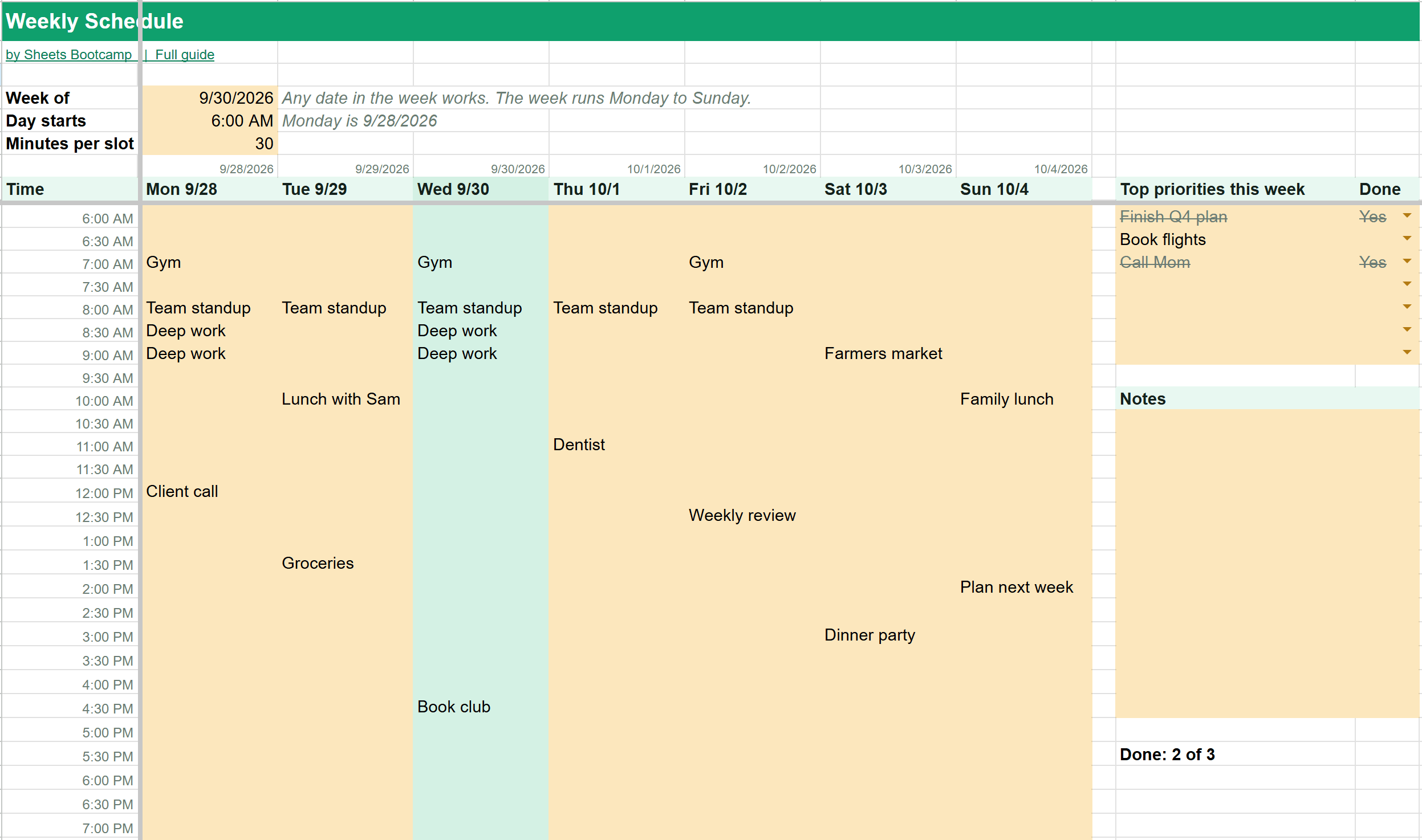
- The week grid: seven columns from Monday to Sunday, each headed with its day and date, and a row for every time slot. Type events straight into the gold cells.
- Today’s column: shaded automatically, so you always know where you are.
- Top priorities: seven lines for the week’s most important tasks, with a Done dropdown. Done tasks are struck through, and a counter shows how many you’ve finished.
- Notes: room for anything else.
Setting It Up
Pick the week. Type any date into B4. The schedule finds that week’s Monday and fills in the dates from there. September 30, 2026 is a Wednesday, so the columns run from Mon 9/28 to Sun 10/4.
Set your hours. B5 is when the day starts and B6 is the slot length in minutes. The default, 6:00 AM in 30-minute slots, runs to 10:30 PM. Switch to 60 for hourly slots, or 15 for a packed day.
Plan a new week. Right-click the Week tab, choose Duplicate, and change the date on the copy. Each week keeps its own tab, so last week’s plan is still there.
Tip
Color-code the grid by hand: select a block of cells, then use the fill color button. Meetings in blue and personal time in green makes a busy week easy to read.
The Formulas Inside
The How it works tab explains each formula. Finding Monday uses WEEKDAY with type 3, which counts Monday as 0:
Formula
=$B$4-WEEKDAY($B$4,3) The time labels treat time as a fraction of a day. A day has 1,440 minutes, so each row adds its slot length divided by 1,440:
Formula
=$B$5+(ROW()-9)*$B$6/1440 To learn more, see WEEKDAY, date formatting and conditional formatting.
Frequently Asked Questions
Is this weekly schedule template free?
Yes. It's free with no email or sign-up. Press Make a copy and it goes into your own Google Drive.
Does the week start on Monday?
Yes. Type any date and the schedule shows the Monday to Sunday week containing it. For September 30, 2026, a Wednesday, the columns run from Mon 9/28 to Sun 10/4.
Can I change the time slots?
Yes. Set the start time in B5 and the slot length in minutes in B6. By default the day starts at 6:00 AM in 30-minute slots, running to 10:30 PM.
How do I make next week's schedule?
Right-click the Week tab, choose Duplicate, and change the date in B4 on the copy. Each week keeps its own tab.
Does it highlight today?
Yes. The column for today's date is shaded, so you can find your place at a glance.
You've googled this formula before. Probably more than once.
The Bootcamp is a real Google Sheet that grades every formula the moment you press Enter. 193 exercises across 9 modules, the 10% of Sheets that does 90% of the work. One payment of $29.
Get It for $29 Get the Bootcamp for $2930-day refund. Reply to any email and you get your money back.
Not ready to pay? Try Basic Training free →